
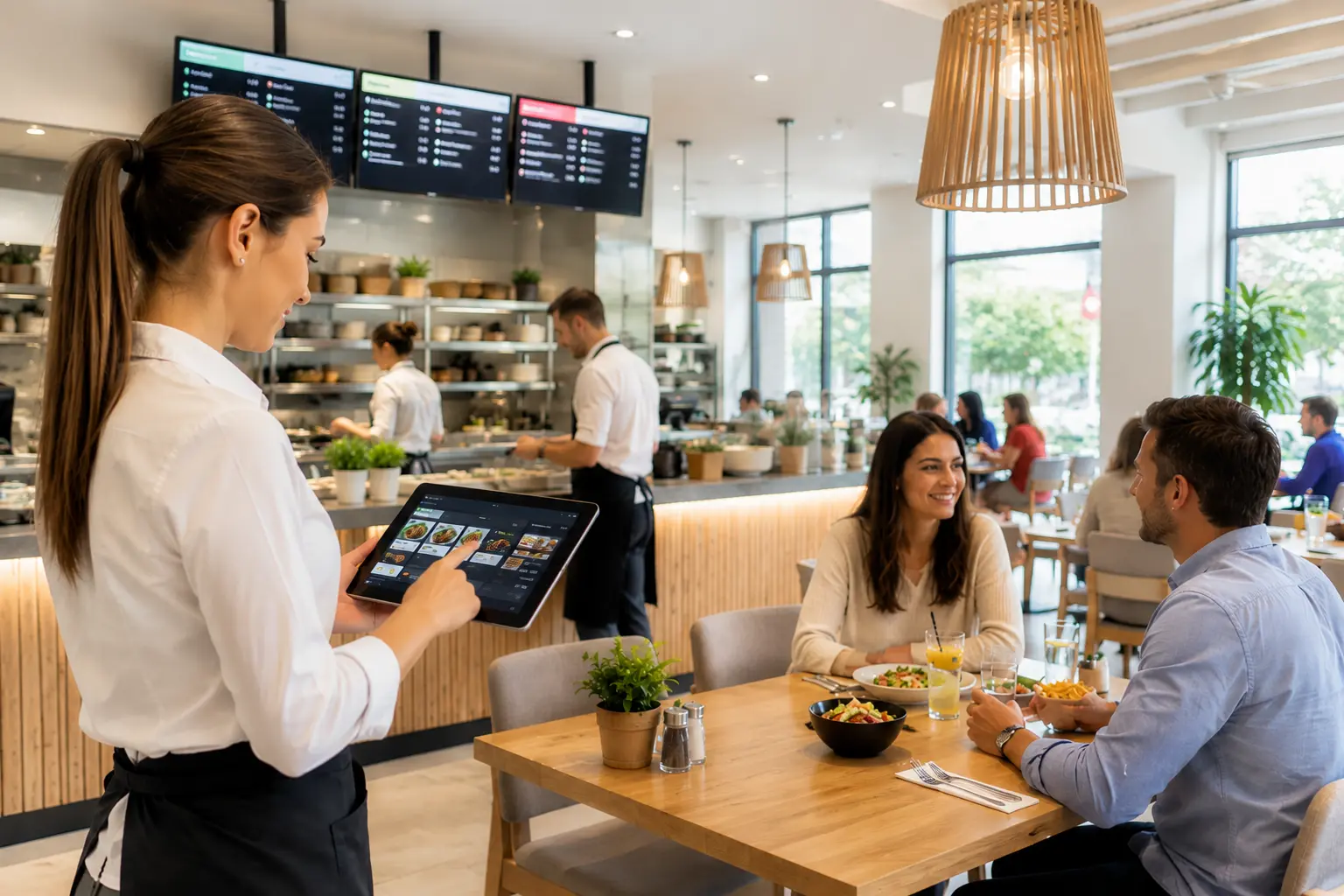
Hiring more staff is the instinctive response of many restaurant owners when workload increases. More orders, more staff. More deliveries, more drivers. More reservations, someone to manage them. The logic is intuitive, but the cost is significant: wages, social contributions, training, equipment, and an adaptation period of several weeks during which the new employee works more slowly than an experienced one. On top of all that comes the risk that, three months in, they leave. The restaurant industry has one of the highest staff turnover rates of any sector, which means that investment in recruitment and training is often a recurring cost rather than a one-time one.
The alternative is not to work more with the same team, but to work smarter. Operational efficiency in a restaurant does not necessarily depend on how many people you have, but on how well tasks are distributed between people and systems. Many of the tasks that consume time, taking orders verbally, reconciling orders from multiple platforms, sending them to the kitchen, coordinating delivery drivers, can be automated or simplified through digital tools. The employee's role does not disappear; their capacity is freed up for tasks that genuinely require a human presence.
This article covers the main tools that improve restaurant operational efficiency, with a focus on what each one does in practice and how it changes the distribution of tasks within the team.
The Self-Ordering Kiosk and QR Menu: Orders Taken Without the Server
One of the biggest time consumers for a server in a restaurant is the order-taking process: walking to the table, noting or memorising the order, entering it into the system, returning if the customer has questions or modifications. During a busy service, these steps repeat dozens of times per hour.
The TapTasty self-ordering kiosk transfers this process to the customer. The customer browses the visual menu, selects their dishes, adds modifications, and completes the order independently. The order goes automatically into the system and onto the KDS, with no human intermediary. The same principle applies through the QR table ordering system: the customer scans a QR code, orders, and can pay directly from their phone without waiting for a server.
The concrete result is that the same server can manage more tables simultaneously, not because they work faster, but because part of their tasks have been taken over by the customer with the help of the system. This does not eliminate the server; it changes their role. From the person who takes down orders, they become the person who ensures the customer's experience is a good one.
The Mobile POS: The Server Stays on the Floor
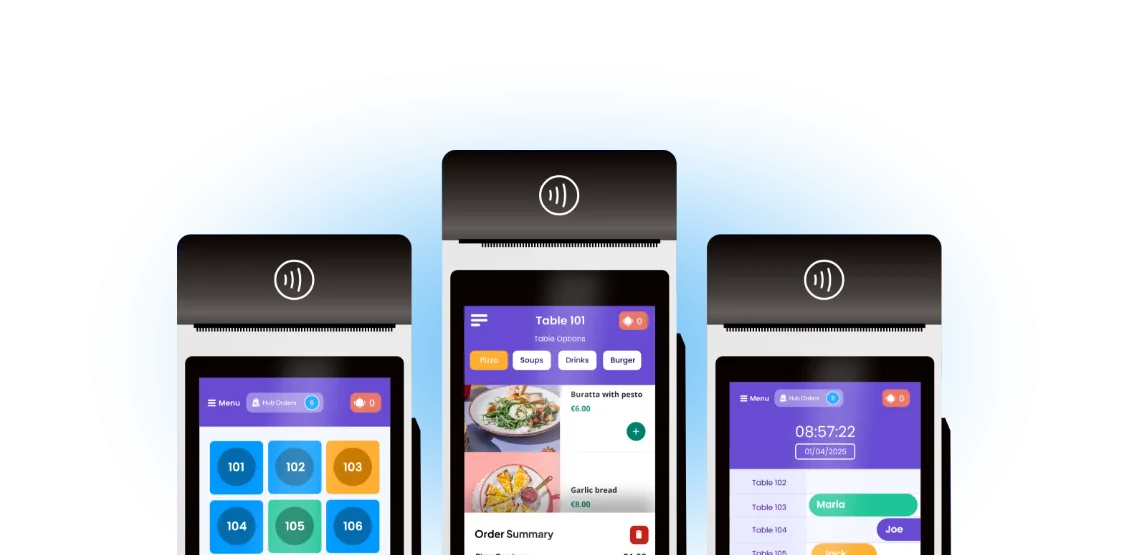
In a restaurant with a single fixed POS terminal, servers make repeated trips between tables and the counter: for every new order, every modification, every payment. These trips do not seem significant taken individually, but they add up to considerable time over the course of a shift.
The TapTasty mobile POS allows orders to be taken and payments to be processed directly at the table, on a phone or tablet. The server stays on the floor, interacts with customers, and manages more tables without losing time moving back and forth. The order entered in the mobile POS goes automatically to the kitchen KDS, with no manual retransmission.
The increase in restaurant operational efficiency in this case does not come from reducing the number of employees, but from the fact that each employee covers more ground with the same effort.
The KDS: The Kitchen Processes Orders in the Right Order
In a kitchen without a digital order display system, prioritisation is done verbally or based on paper tickets. The cook interprets the order sequence, manages modifications passed on verbally, and communicates back to the dining room the same way. This generates errors, delays, and a limited processing capacity during peak hours.
The TapTasty KDS takes in orders from all sales channels, displays them by station, and prioritises them automatically. The cook can clearly see what needs to be prepared and in what order, without waiting for verbal instructions. When a dish is ready, they mark the order as complete, and the server or delivery driver is automatically notified.
The direct effect on restaurant operational efficiency is that the kitchen processes the same volume of orders more quickly, because the flow of information no longer passes through verbal communication and no longer depends on manual interpretation of priorities.
One Screen Instead of Several: Aggregator Integration
A restaurant that delivers through Glovo, Bolt Food, and Wolt and also receives orders through its own channel quickly ends up with a counter occupied by multiple devices, each with its own interface and notifications. The counter staff member monitors multiple screens simultaneously, manually enters orders into the POS if the systems are not connected, and risks missing a notification during busy periods.
Integrating aggregators into the TapTasty ecosystem centralises all orders, regardless of source, in a single place. An order from Glovo arrives on the same screen and the same KDS as an order from the restaurant's own app. The counter staff member no longer manages multiple devices, just a single stream of information.
This is one of the changes with the most direct impact on restaurant operational efficiency during high-volume periods: not more staff at the counter, but less informational noise for the same employee.
Inventory Management: Less Time Lost on Administration
The TapTasty inventory management software automatically synchronises theoretical stock with recorded sales. Every time a dish is sold, the corresponding ingredients from the recipe are automatically deducted from the theoretical stock.
It is important to note that physical stock-taking remains necessary: actual stock needs to be checked periodically, because the system cannot detect breakages, portioning differences from the recipe, or other variables that do not appear in the data. What is simplified, however, is the administration. The manager no longer manually calculates what should be in stock based on sales, but instead compares the physical stock directly against the automatically generated theoretical figure. Discrepancies become visible faster, low-stock alerts appear automatically, and the restocking decision is made on the basis of real data rather than estimates.
Reservations Managed Without Phone Calls
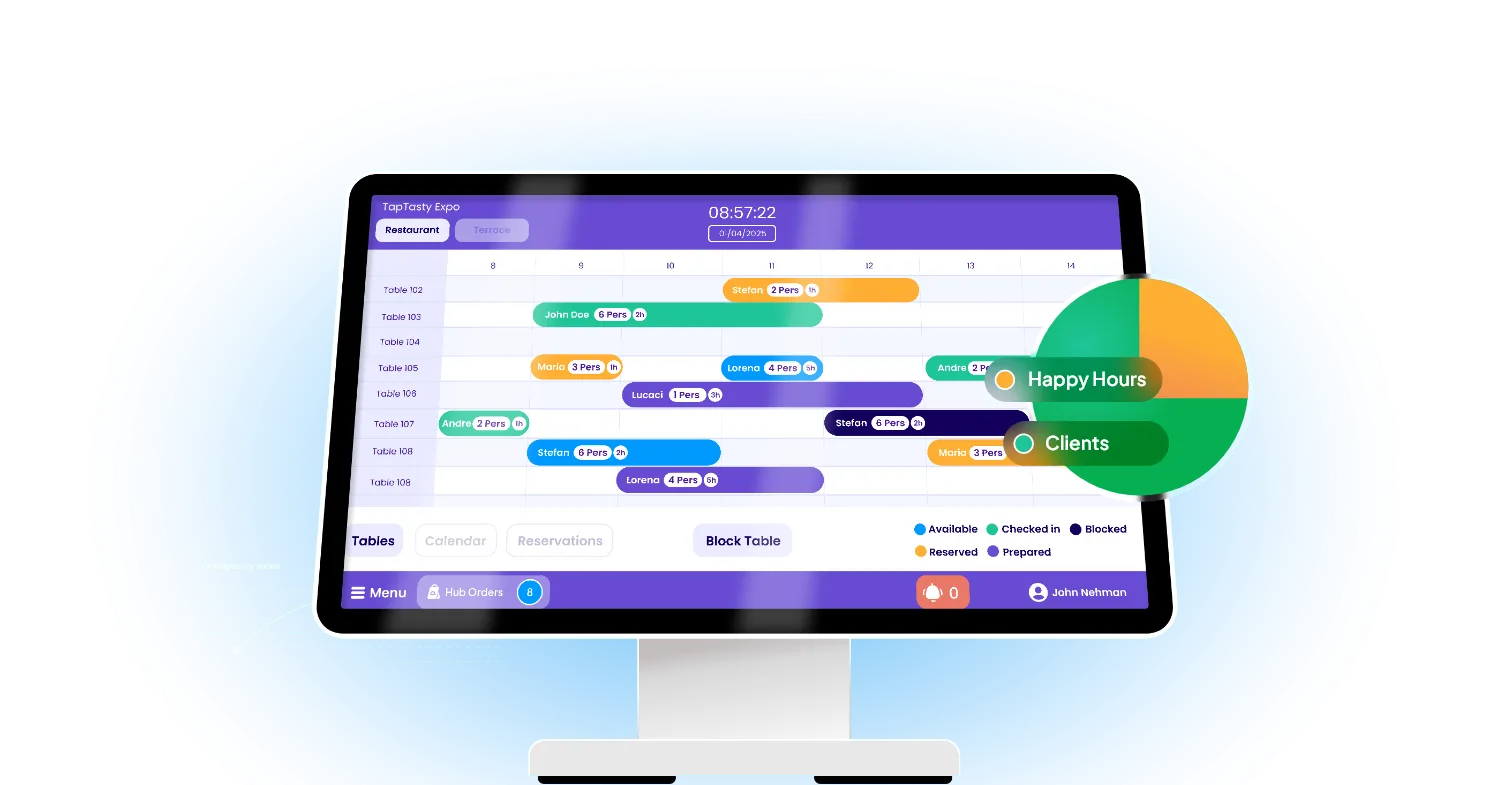
Managing reservations by phone consumes time from multiple directions: the staff member taking the call checks availability, confirms the table, notes the customer's details, and sometimes calls back to reconfirm. Multiplied across ten reservations a day, the time adds up.
The TapTasty reservation system allows customers to book directly from the app or website, with availability updated in real time. The reservation arrives automatically in the restaurant's system, with the configured duration, the allocated table, and any rules defined by the manager. The manager sees all reservations in one place, without handling phone calls for confirmation.
The result is not that the employee disappears from the equation, but that their time is freed up for tasks that require a human presence.
Delivery Software: The Same Drivers, More Orders
Restaurants with their own delivery fleet face a coordination challenge that becomes apparent as volume grows. When delivering orders through the restaurant's own channel, information reaches drivers in a fragmented way, without a clear priority sequence and without grouping orders by zone.
The TapTasty delivery management software sends orders directly to the driver's app the moment the kitchen marks them as ready. The driver sees the address, any special instructions, and, if they have multiple orders, the suggested optimal delivery sequence by zone. Information is centralised in one place, without depending on an intermediary employee to coordinate verbally or allocate orders manually.
Restaurant operational efficiency increases in this case not through more drivers, but through the fact that each driver manages their orders more effectively.
The Order Status Screen: Customers Know When to Collect
In a restaurant with counter service or self-collection of orders, letting customers know their order is ready is often done verbally, by calling out a number or a name. Staff do this while managing other tasks, which leads to moments when an order is ready but nobody announces it immediately, or when a number is called incorrectly and the customer gets up for nothing.
The TapTasty order status screen displays in real time which orders are being prepared and which are ready for collection. The customer can see the status of their own order without asking staff, and gets up at exactly the right moment. Staff no longer make verbal announcements and no longer handle questions like “Will it be much longer?”
The impact on restaurant operational efficiency is indirect but real: staff at the counter or on the floor have fewer interruptions, serving more customers in the same period without losing time in repetitive communication.
What This Means in Practice
The tools described above do not replace the team. They redistribute tasks: what an employee was doing manually, repetitively, and with a high risk of error is taken over by the system. The employee remains, but their capacity is available for tasks that require a human presence.
In concrete terms: a restaurant that uses a kiosk or QR menu no longer needs the server to take every order verbally. The same server can manage more tables or devote more time to customers who need attention. A manager who no longer spends two hours a week manually reconciling stock can use that time to analyse sales reports and make decisions about the menu or staff scheduling. A counter employee who no longer manages three separate tablets for three delivery platforms makes fewer errors and serves customers faster.
According to Restroworks, 83% of restaurant operators believe that technology investments give them a competitive advantage, and 69% say automation has improved their productivity. In practice: the same volume of orders is handled more quickly, with fewer errors and less administrative effort from the team.
Improving restaurant operational efficiency does not mean hiring fewer people. It means that the people you already have can manage more volume without being overstretched. And in a sector where staff turnover is high precisely because of overload, this is also a retention strategy, not just an efficiency one.
Conclusion
Restaurant operational efficiency is not achieved by hiring more, but by organising better. The kiosk and QR menu take orders directly from the customer. The mobile POS keeps the server on the floor. The KDS organises the kitchen without verbal communication. Aggregator integration eliminates the chaos of multiple tablets. Inventory management simplifies administration. The reservation software handles phone calls. The delivery software coordinates drivers automatically.
Each tool solves a concrete problem. Together, they form an ecosystem that allows the existing team to handle more volume with less administrative effort. If you would like to understand which modules best suit your restaurant, you can explore TapTasty’s offer and request a quote tailored to your restaurant’s needs.